
Hosting a game
For players with the Hosting Right: how to create a game, what you can change while it runs, how to pause it, and where each of these is.
The Hosting Right
- Only an account with the Hosting Right can create a game and so become its host. An administrator grants and withdraws it. Withdrawing it stops new games, never one already created.
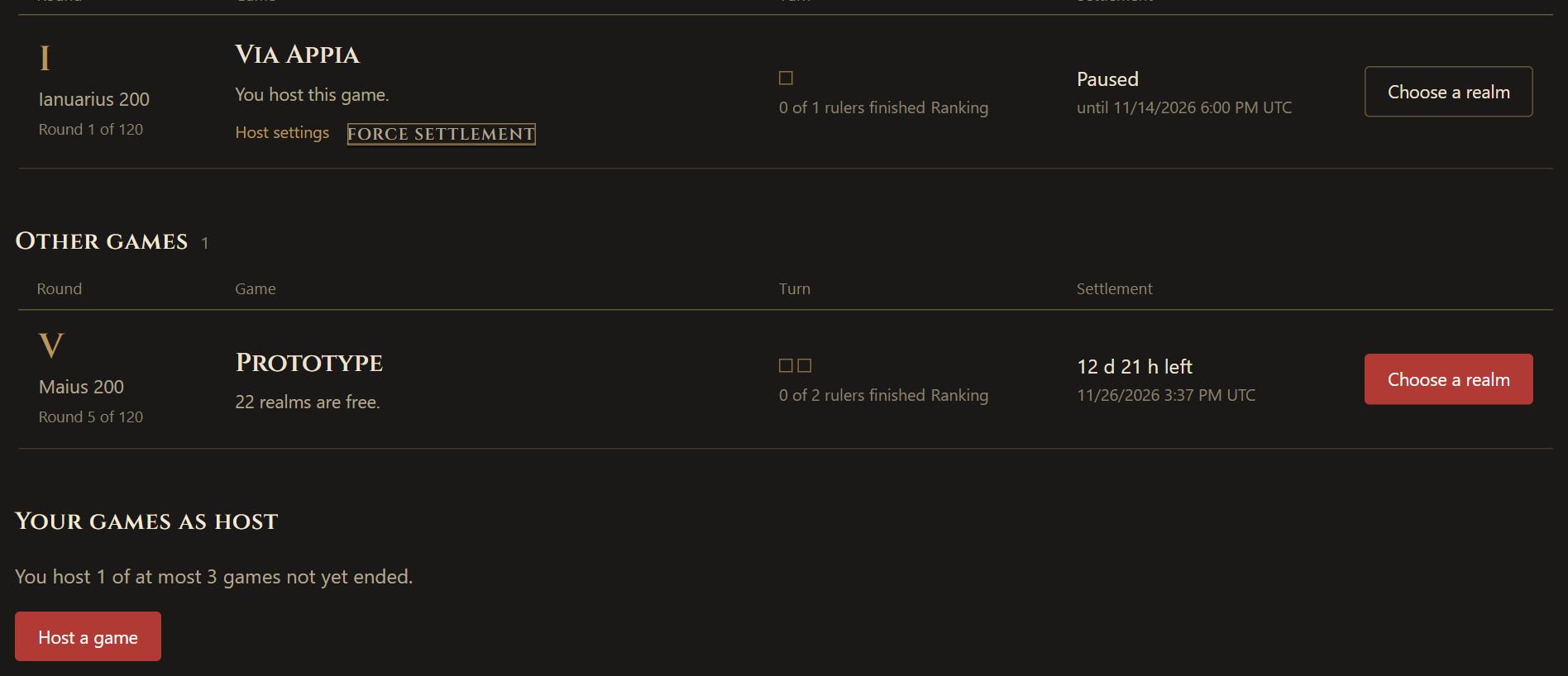
- You may host at most three games that have not ended yet, unless the administrator sets a different limit. The games list shows how many you host under Your games as host.
- You may play in your own game. Hosting and ruling a realm are separate: you keep every host power below except the force.
Creating a game
- Open Games and choose Host a game.
- Pick a bundle to start from, such as Standard or Beginner game, if you like.
- Choose the host settings: how many rounds, the round length and whether it is fixed, a sign-up period with its start date, a cut-off round for late joining, what happens to a realm whose ruler is gone, whether the rules are frozen, whether the fog lifts at the end, and whether programs may give Orders. A blank field takes the Original's default.
- Give the game a name.
- Choose Create game.
Every setting except the round length is fixed once the game exists, so choose them with care. A game always runs the Original variant: its mechanics and values are the same in every game.
Before round 1
If you chose a sign-up period, the game waits on its own page until the start date. Players sign up there with up to three wished realms, and the realms are drawn two round lengths before the start. On that page you can:
- Move the start, until the Realm Draw. No e-mail is sent; the new date shows on the page.
- Cancel this game, until round 1. A cancelled game is deleted for every player who signed up.
A game without a sign-up period starts at once, and these two choices do not exist for it. A game cannot be paused before round 1; move the start instead.
The Host page
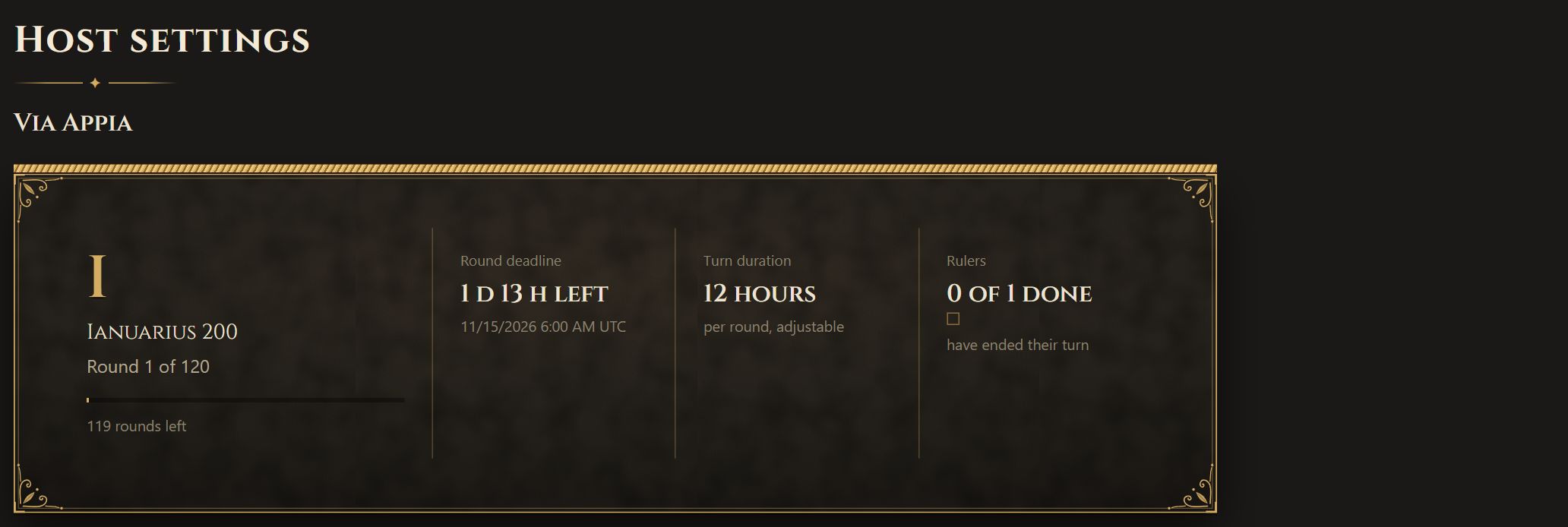
Once the game runs, its Host page is where you manage it. You reach it from Host settings on the game's row in the games list, or, if you rule a realm in the game, from the link of the same name on your realm's overview. It shows:
- the round the game stands at, how many rounds are left, and the round's deadline (during a pause, the deadline the round gets if the pause ends on time);
- how many rulers have ended their turn;
- the round length, and the form to change it where you may;
- the pause;
- the host settings the game was created with.
Changing the round length
- If you left the round length adjustable when you created the game, you may change it between 1 and 24 hours on the Host page.
- The change applies from the next round. The current round keeps its deadline, so no player loses time they were promised.
- If you fixed the round length at creation, it cannot be changed, and the Host page says so.
Pausing a game
A pause stops the round clock for a while: for a night, a holiday or an outage. It is meant to be harmless to every realm, which is why every host may set it, whether they rule a realm or not.
How
- Open the game's Host page.
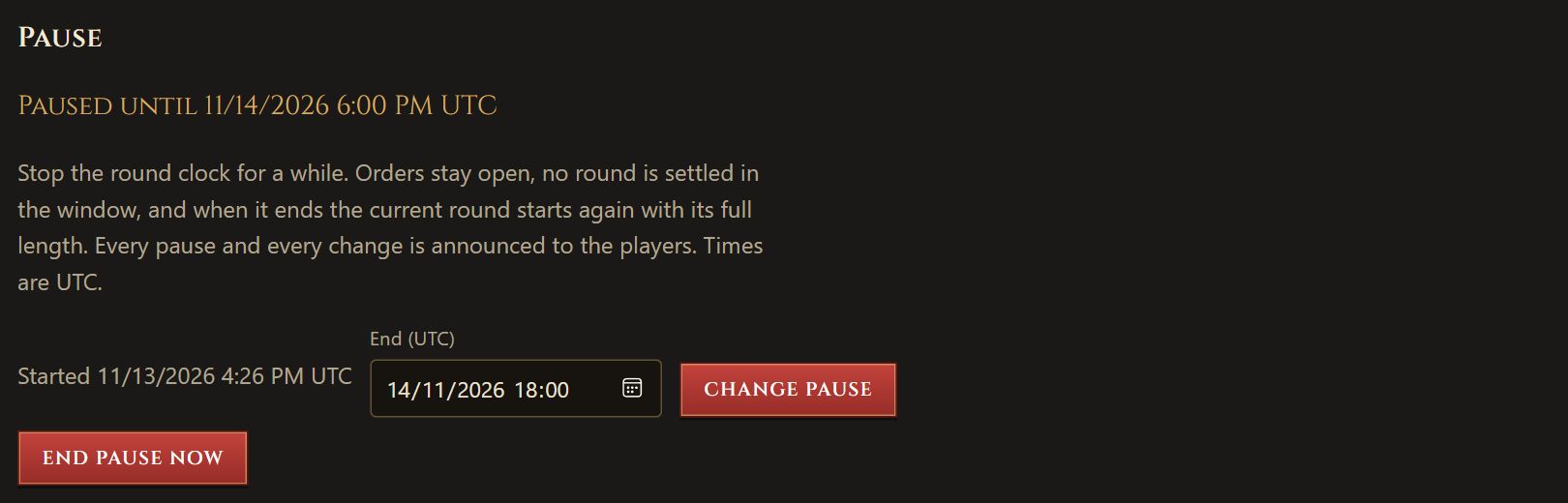
- Under Pause, leave the start blank to pause at once, or enter a later start.
- Enter the end. Times are in UTC, as everywhere in the game.
- Choose Pause.
What happens during a pause
- Orders stay open. Players plan and give Orders for the current round as usual. Joining, claiming a free realm and the Chat work as usual too.
- No round is settled by its deadline while the pause runs. If every ruler ends their turn, the round is still settled, as it would be without a pause, and the next round waits for the pause to end.
- When the pause ends, the game resumes by itself, and the current round gets its full length again from that moment. What was left of the round before the pause is not kept.
- A pause counts no rounds, so it releases no seat and gives no caretaker turn, however long it lasts. The round count and the cut-off round stay; only the calendar end of the game moves.
What the players see
- Every pause, every change and the end are announced on the game's Announcements page, in German and English. A player who has not seen it gets the Announcement banner.
- While the pause runs, every page of the game shows a banner with its end, and the games list and the realm overview say Paused until ….
Changing or ending a pause
- You may change the end of a pause, later or sooner, any number of times. A pause has no maximum length, but it always needs an end.
- The start of a running pause is fixed. A pause that has not begun can be moved.
- End pause now resumes the game at once, with a full round. For a pause that has not begun, the button reads Cancel pause; the round then keeps its deadline.
- The operator may pause any game too. You may extend a pause the operator set, but not shorten, move or end it.
Forcing a settlement
- A host who rules no realm in the game may force a settlement: the current round is settled at once, whoever has ended their turn. The button is on the game's row in the games list.
- While you rule a realm in your own game, you cannot force: a round ends at its deadline or when every ruler has ended their turn. Use a pause if the game needs to wait.
What a host cannot do
- Change any host setting other than the round length once the game exists.
- See another realm's Orders, treasury or forces beyond what every player sees.
- Pause a game before round 1 or after it has ended.
- Remove a player. If a player breaks the rules, report them to the operator.